
Add One-Time Pricing to Quotes (Beta)
If your product or service is a one-time charge, you're in the right place!
The Quote Widgets and Quote Block can populate quotes or interactive pricing plans with accurate data from your CRM, or by you if you don't use a CRM. You can recommend the best options as a seller, and even upsell buyers with add-ons while you’re there!
In this article:
- Adding a one-time line item to a Quote table widget
- Adding a one-time pricing card
- Giving your buyer options
Note: If the Quote Widgets and Blocks are new to you, don't worry! Check this article for a quick recap.
Adding a one-time line item to a Quote table widget
Every Quote table widget starts with a single line item that is set as a one-time price by default. When you add a new Quote table widget to your page, or add a Quote block with a table widget already in it, it will include a default line item. There are four options when adding line items:
- Fixed cost: Line items that always have the same unit price.
- Volume cost: Line items where the unit cost changes depending on the quantity.
- Text line item: This will only have a description line, with no field for Item, Quantity, or Price.
- Saved line item: These will be line items you've previously saved.
To add a new line item, click the bottom button in the section, enter description, unit price, and quantity.
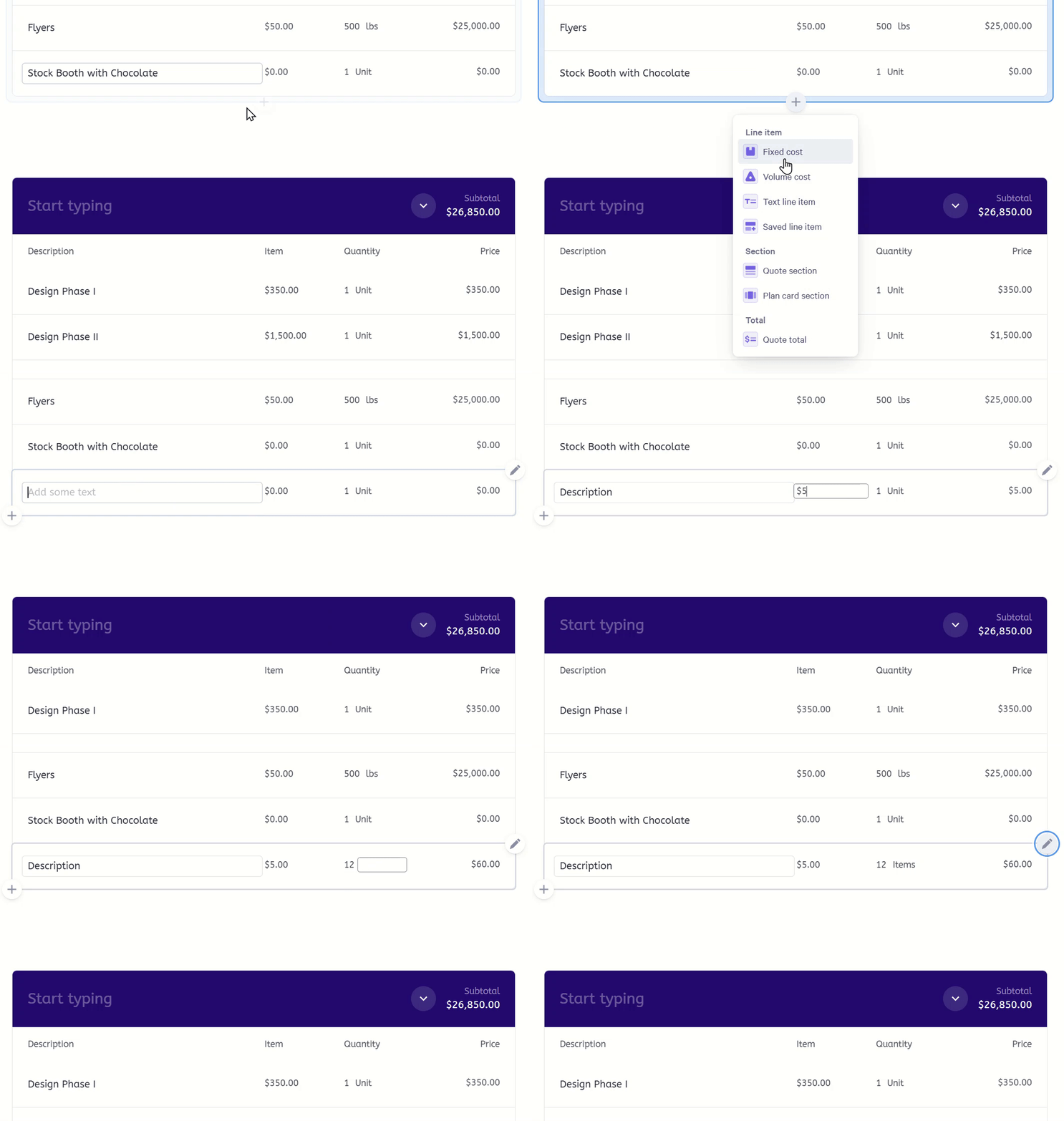
Note: Learn more about managing line items here.
Adding a one-time pricing card
If you're using Plan card widgets in your quote, these can also represent one-time pricing. Unlike Quote table widgets, these default to recurring pricing when added so making them one-time is a little different.
You can get to this setting by either clicking on the default '/month' recurring section or clicking on the pencil in the top right of the card and selecting properties.
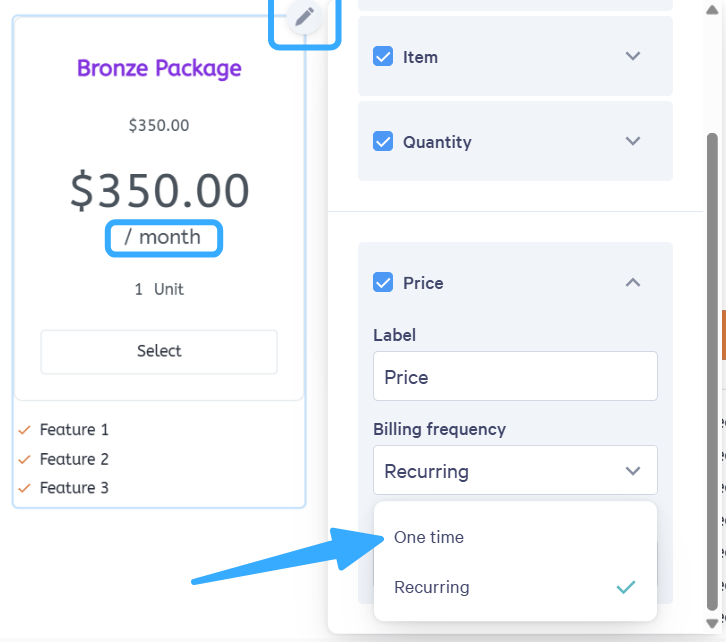
Under Billing frequency you can set it to One time instead of Recurring.
Giving your buyer options
Sometimes, you'll want to let your buyer choose the quantity, or choose which items to include in the quote.
Qwilr lets you add plenty of choice points for your buyer.
If you have any questions, feel free to reach out to help@qwilr.com